
The Complete Lightroom Course
Learn how to use Lightroom to get organized, create amazing photos and cut your editing time in half – whether you’re just starting photography or have been doing it for a while.
Watch the video to get a preview of the course
Lightroom has become my favorite software. I already knew the basics, but this course took my understanding of Lightroom to a whole new level.
Shazre S.
Commercial Photographer
Shajee's instruction is well done. I have viewed a lot of courses before this, but the level of detail that Shajee goes into makes it much easier to understand.
Jeffrey Freedman
Hobbyist Photographer
I did not have any method to my editing process, but all the things I learnt in this course has made things very systematic and organized.

Reem Ansari
Photographer
Does any of this sound like you?
Are your photos are missing the ‘wow’ factor?
You look at photos of other people and you just don’t get how to achieve that quality in your own photos. You put a lot of effort into taking great photos, but they somehow don’t have that finesse that you wish they had, and you just don’t know what to do to get it.
Do you wish your photos were more organized?
A folder here, a folder there, your photos are all over the place, and it’s now all a big mess. You started with your computer’s hard drive and now that it’s full, you’re wondering if you should get an external hard drive and use that for your photos. You wish you had a better system for organizing, finding and backing up your photos.
Does editing takes up all your time?
You end up spending most of your time in front of a computer editing photos, when you wish you could devote more of it to shooting photos, or just spend it with your family & friends. All you need is a faster way to edit your photos that doesn’t eat up all your time – without compromising on the quality, of course.
Lightroom simply not your friend?
You tried installing Lightroom but found it to be too complex. Catalogs, importing, exporting, keywords, collections, metadata and what not! There’s just so much in there that you don’t feel comfortable with it. You see all the pros recommending Lightroom, but you keep going back to using Picasa or Apple Photos, because you just can’t get a grip on Lightroom.
All this is making you lose your enthusiasm towards photography.
You’re worried that if you don’t figure out your editing process, your photos just won’t look the way you imagine. It’s discouraging, and it’s making you lose the motivation you had when you first started taking photography seriously.
To facilitate your learning, I invite you to check out The Complete Lightroom Course. I’ll be there every step of the way to make sure you get the amazing images you desire, have an effective post-processing workflow & don’t make the same mistakes I did, that caused tons of frustration for me.
How The Complete Lightroom Course Will Benefit You
Whether you’ve just started out or have been doing photography for a while, this course will help you:
Here are a few examples of what you’ll be able to achieve in only a few minutes!






Say goodbye to your confusions with Lightroom

5 Amazing Bonuses

BONUS 1
Premium Develop Presets
[$29 Value]
Get our workflow presets and use these to speed up your workflow and achieve the most commonly used settings with a single-click.
Bonus 2
Keyword Set
[$49 Value]
We all get lazy when it comes to adding keywords our photos. This keyword set contains over 4000 keywords which will take out all the guesswork from your keywording process, and you’ll be able to find any of your photos instantly.

BONUS 3
SMART COLLECTIONS
[$49 VALUE]
Do you manually select photos for your portfolio? Do you take photos of skies, textures or backgrounds but forget where you kept them? Get this set of Smart Collections that’ll automatically sort your photos for you to easily find later.

BONUS 4
SAMPLE RAW FILES
[$19 VALUE]
Don’t want to practice with your own photo library? No problem. Use our sample RAW files to practice all the important concepts highlighted in the course. We have carefully picked these out to make sure you follow along.

Bonus 5
Export Presets
[$29 Value]
Confused about what export settings to keep for uploading your images on social media? Or when printing on different sizes? All the most commonly used export settings are saved as presets and bundled together in this bonus.
Printable Cheat Sheets

CHEAT SHEET 1
The Import & Export Cheat Sheet
The Import and the Export dialog have a lot of different settings that can get a little confusing. These cheat sheets contain all that you need to keep in mind for the import and export process.

CHEAT SHEET 2
The Keyboard Shortcuts Cheat Sheet
Having trouble remembering a shortcut? Not to worry, this cheat sheet has them all. Put this up right next to your computer and see how much time & effort just this one sheet will save you!

CHEAT SHEET 3
The Rating Worksheet
Make the sorting of images a whole lot easier and devise your own rating system for star ratings, color labels and flags with the help of this worksheet.

CHEAT SHEET 4
The 3Cs of Retouching Checklist
Use this checklist to ensure that you have taken care of everything when editing your photos.

CHEAT SHEET 5
The Backup Cheat Sheet
This cheat sheet will allow you to ensure that you have backed up everything you need to and in case tragedy strikes, you will have everything to restore Lightroom back to where it was.

CHEAT SHEET 6
The Start to Finish Workflow Checklist
Use this checklist to make sure you don’t miss out on any crucial steps through your post-processing workflow.
What others are saying
"
I was totally oblivious to the importance of editing, had never done it before and it seemed very daunting, but the methods I learnt in this course made it all so easy! Particularly The 3Cs of Retouching. In a jiffy, you can make your photo from boring to marvelous with all the depth and detail. It's the go-to option for all my current work.
Zheela Ali
Photographer

"
I used to be very confused about Lightroom but this course has helped me a lot. I wish I took this course a long time ago. I understand the how and why of editing much better now. The organization of my photos was a mess too, before now. In the past, I have paid a lot of money for books on Lightroom but I had no clue what they were talking about. This course is easy to follow and has been the best I've taken so far.
Hennie Bernard
Student of The Complete Lightroom Course

"
I have learnt so much from this course in such a small amount of time. I really like the way Shajee goes into the detail of every step. The methods he teaches in the course has changed the way I approach my post-processing. Things have become simple and fast and you get results very quickly.
Azmeena Alidina
Photojournalist
The Course Curriculum
- 1How Lightroom Thinks
Before we start anything, we get an insight into how Lightroom thinks & works. - 2Organizing Your Photos
Clean up your file structure using my organizing system & easily find photos later. - 3The Import Dialog
Learn everything there is to the Import dialog. - 4The Lightroom Interface
Discover the hidden features of the Lightroom interface & set up your preferences. - 5Sort Your Photos
Learn about Lightroom's tools to pick out your favorite photos. - 6Collections
Get super-organized using the power of Collections & Smart Collections. - 7Keywords
Learn the exact system to keyword your photos so that you can find any photo in your archive quickly. - 8Metadata
Everything you need to know about adding copyright information, locations and face-tagging.
- 9The Develop Module
Learn how to do basic edits, edit multiple photos together and other fundamentals of the Develop module. - 10The 3Cs of Retouching
This section will go in-depth into the editing process and how you can bring your images to life in no time. - 11FIXING PERSPECTIVE
Distorted photos? Lightroom has an entire section for fixing incorrect perspective. - 12SPECIAL EFFECTS
Apply special effects like film grain, vignette and dehaze to your photos. - 13LOCAL ADJUSTMENTS
Make precise local adjustments right from within Lightroom to fix common problems. - 14PRESETS
Save your favorite editing styles as presets and apply them to any photo with a single-click. - 15HDR & PANORAMA
Combine photos into HDR and Panoramas right from inside of Lightroom. - 16EDITING WITH PHOTOSHOP
Need to work some more on your photos in Photoshop? No problem, the two software integrate seamlessly.
- 17EXPORT & PUBLISH
Whether you're exporting for the web, or for printing your photos, we've got you covered. - 18CREATING SLIDESHOWS
You can create amazing slideshows of your photos right from within Lightroom. - 19CREATING A WEB GALLERY
Create web galleries & publish photos on the internet directly from inside of Lightroom using the Web module. - 20CREATING A PHOTO BOOK
Create stunning photo books that will provide great memories over the years. - 21PREPARING YOUR PRINTS
We explore how to set up your photos for printing at the right size. - 22BACKUP STRATEGY
The most important section of them all. Learn the 3-2-1 Backup strategy so you never lose any of your precious photos. - 23ALL ABOUT CATALOGS
Learn how Lightroom works, how to move Lightroom to a new computer & other things related to the catalog in this section. - 24START TO FINISH WORKFLOW
In this section, we put it all together and look at the exact steps to take from start to finish.
The Course Curriculum
- 1How Lightroom Thinks
Before we start anything, we get an insight into how Lightroom thinks & works. - 2Organizing Your Photos
Clean up your file structure using my organizing system & easily find photos later. - 3The Import Dialog
Learn everything there is to the Import dialog. - 4The Lightroom Interface
Discover the hidden features of the Lightroom interface & set up your preferences. - 5Sort Your Photos
Learn about Lightroom's tools to pick out your favorite photos. - 6Collections
Get super-organized using the power of Collections & Smart Collections. - 7Keywords
Learn the exact system to keyword your photos so that you can find any photo in your archive quickly. - 8Metadata
Everything you need to know about adding copyright information, locations and face-tagging.
- 9The Develop Module
Learn how to do basic edits, edit multiple photos together and other fundamentals of the Develop module. - 10The 3Cs of Retouching
This section will go in-depth into the editing process and how you can bring your images to life in no time. - 11FIXING PERSPECTIVE
Distorted photos? Lightroom has an entire section for fixing incorrect perspective. - 12SPECIAL EFFECTS
Apply special effects like film grain, vignette and dehaze to your photos. - 13LOCAL ADJUSTMENTS
Make precise local adjustments right from within Lightroom to fix common problems. - 14PRESETS
Save your favorite editing styles as presets and apply them to any photo with a single-click. - 15HDR & PANORAMA
Combine photos into HDR and Panoramas right from inside of Lightroom. - 16EDITING WITH PHOTOSHOP
Need to work some more on your photos in Photoshop? No problem, the two software integrate seamlessly.
- 17EXPORT & PUBLISH
Whether you're exporting for the web, or for printing your photos, we've got you covered. - 18CREATING SLIDESHOWS
You can create amazing slideshows of your photos right from within Lightroom. - 19CREATING A WEB GALLERY
Create web galleries & publish photos on the internet directly from inside of Lightroom using the Web module. - 20CREATING A PHOTO BOOK
Create stunning photo books that will provide great memories over the years. - 21PREPARING YOUR PRINTS
We explore how to set up your photos for printing at the right size. - 22BACKUP STRATEGY
The most important section of them all. Learn the 3-2-1 Backup strategy so you never lose any of your precious photos. - 23ALL ABOUT CATALOGS
Learn how Lightroom works, how to move Lightroom to a new computer & other things related to the catalog in this section. - 24START TO FINISH WORKFLOW
In this section, we put it all together and look at the exact steps to take from start to finish.
GET STARTED TODAY!
PICK A PAYMENT PLAN THAT WORKS BEST FOR YOU
3 PAYMENTS OF
$49
SINGLE PAYMENT OF
$129
SATISFACTION GUARANTEED
SECURE PAYMENT
ALL PAYMENT METHODS ACCEPTED

Satisfaction Guarantee
30-Day 100% Risk-Free Money Back Guarantee
I know this course works. I have taught hundreds of students and they are a testimony to the fact that it works – which is why, if you don’t love this course, I offer you a 30-day money back guarantee.
I invite you to use the methods I outline in this course. I am very confident that you will have a much smoother workflow; and you will be taking much less time to retouch your photos. I will be there every step of the way to answer all your questions.
So, here’s my offer to you: If you don’t like this course within 30 days, get all of your money back, no questions asked. Join the course and see for yourself.
I did not have any system to edit my photos before this course. I got to know so many new things that I wasn't aware of before. As a result, I get beautifully edited photos every time.

Rameen A. Khan
Hobbyist Photographer
Before this course, I would only use Instagram filters to edit my photos. Now, I know exactly where my photo needs work and what I need to do to improve them. Major improvement for me.

Hafsa Owais
Photographer
Before taking this course, I would only take guesses about how to edit my photos. Now I know which sliders to work with and exactly how much each setting should be.

Noman-uddin
Photographer
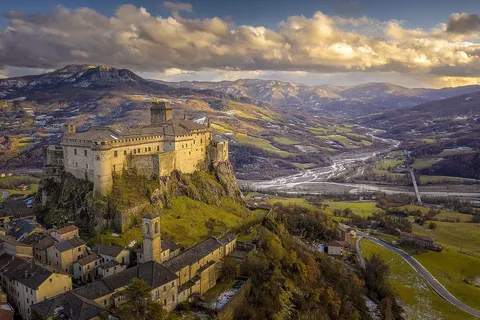
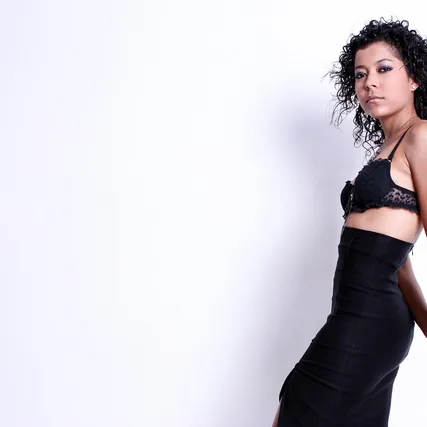
Here are some more examples of what you’ll be able to achieve in only a few minutes!




Frequently Asked Questions
Who is this course for?
I don't have time
Can't I get all this information for free?
Which version of Lightroom do I need?
But what about Photoshop? Don't I need to learn that too?
I've tried to learn Lightroom before, but haven't had great success. How do I know this works?
When does the course start and finish?
I already know Lightroom
How long do I have access to the course?

Shajee Aijazi
INSTRUCTOR FOR THE COMPLETE LIGHTROOM COURSE
I am Shajee Aijazi, the founder of Digital Darkroom Academy. I have been a photographer for over twelve years now. I help people edit photos better, speed up their overall workflow and organize their photos in a way that they don't have to waste time managing them. I'm sharing my tested strategies that I discovered after thousands of hours of work so you can have the same success without going through all that I did.

"
This course taught me all about the great features of Lightroom that I had no idea about. Before this course, my editing process was a mess. The showed me an extremely efficient system of photo organization which saves a huge amount of time when I have to look for old photos. Picking out favorites from a shoot of hundreds of photos is also now a very quick process with Lightroom.
Merriam Aqeel
Travel Photographer

"
After learning all the stuff Shajee teaches, I got to see the beauty of Lightroom. Not only did my editing process become much faster, but the systems taught in this course help me keep all my photographs organized and easy-to-find! His teaching style is also great as he goes into great depth on any topic.
Sarmad Ahsan
Student of The Complete Lightroom Course
"
Before this course, I was editing my photos using the filters we have in mobile photo editing apps. I had no idea that we can recover so much detail and colors from our photographs. Shajee's teaching style is highly engaging which makes it easier to learn.
Raza Ali
Hobbyist Photographer
ARE YOU READY TO BECOME A LIGHTROOM NINJA?
The more you wait, the more you'll have to struggle on your own. Why spend hours trying to figure it all out, when you can let this course guide you step-by-step, every step of the way!
You are just a few clicks away from learning how to easily organize your photos, edit them to perfection & create photos that people love! So, take action now and be on your way to become a Lightroom Ninja!
GET STARTED TODAY!
PICK A PAYMENT PLAN THAT WORKS BEST FOR YOU
3 PAYMENTS OF
$49
SINGLE PAYMENT OF
$129
SATISFACTION GUARANTEED
SECURE PAYMENT
ALL PAYMENT METHODS ACCEPTED
© 2018 Digital Darkroom Academy. All Rights Reserved.